
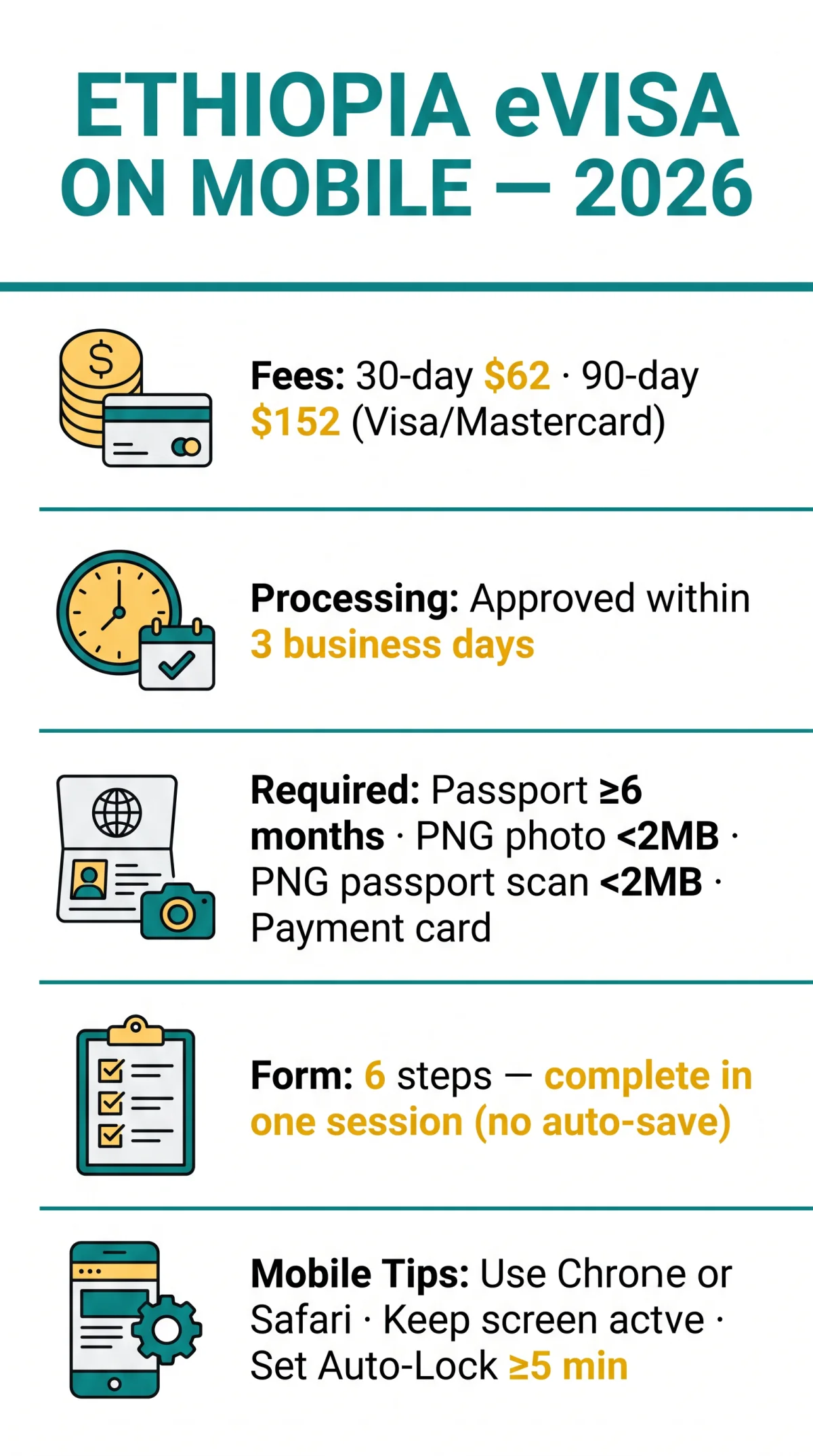
You can complete the entire Ethiopia eVisa application on a smartphone using Chrome or Safari. A 30-day tourist visa costs 62 USD and a 90-day costs 152 USD, payable by card. Approved eVisas arrive by email within 3 business days.
Last updated: 9 September 2026. Tested on iPhone 15 (Safari 17) and Samsung Galaxy S23 (Chrome 122). This is an independent informational guide – always verify requirements on the external government-operated portal at evisa.gov.et before applying.
Preparing to Apply for an Ethiopia eVisa on Your Mobile
The Ethiopia eVisa mobile application process requires a valid passport, a compliant digital photo, and an accepted payment card. Citizens of all countries except Syria are eligible. For visa categories and terms, refer to the tourist visa information page on the external portal.
- Passport: valid for at least 6 months from your intended entry date to Ethiopia, with 1-2 consecutive blank pages
- Digital passport photo: PNG format, under 2 MB, taken within the last 6 months, on a white or clean background
- Passport bio-data page scan: clear, readable digital copy in PNG format, under 2 MB
- Working email address: the approved eVisa is delivered as a PDF attachment by email
- Visa or Mastercard credit/debit card for the online fee (62 USD for 30-day single-entry, 152 USD for 90-day)
- Stable internet connection: Wi-Fi is preferable to mobile data for a reliable session
For assistance, contact the Immigration And Citizenship Service at +251 (11) 1262635 or [email protected]. Avoid unauthorized sites such as www.ethiopiavisas.net – the Ethiopian government does not accept applications or payments made there and is not liable for any inconvenience caused.
Step-by-Step Guide to the Ethiopia eVisa Mobile Form
The Ethiopia eVisa mobile form at evisa.gov.et/visa has six steps, from visa category to document upload and payment, with no auto-save, so you must finish in one session.
Visa Category Selection
Choose visa type and tick the mandatory terms and conditions checkbox.
Arrival Information
Enter departure city (required), flight number (optional), and accommodation telephone (required).
Personal Information
Provide name, date of birth, gender (dropdown: Male/Female), and address country (required).
Passport Information
Enter passport number, issue/expiry dates, and issuing authority (required).
Review
Verify all entered data, including visa validity dates, before proceeding.
Attachments & Payment
Upload passport photo and bio-data page scan in PNG format under 2 MB, then pay by Visa or Mastercard.
💡 Mobile tip: No auto-save: complete the form in one sitting. Set your phone’s auto-lock to 5 minutes or longer (Settings > Display & Brightness > Auto-Lock on iOS; Settings > Display > Screen timeout on Android). Note down your passport number, travel dates, and accommodation phone before starting – you will need them again if the session times out.
Smartphone Photo Upload Tips for the Ethiopia eVisa
The Ethiopia eVisa portal accepts PNG files under 2 MB; use built-in iOS or Android tools to compress and resize photos directly on your phone.
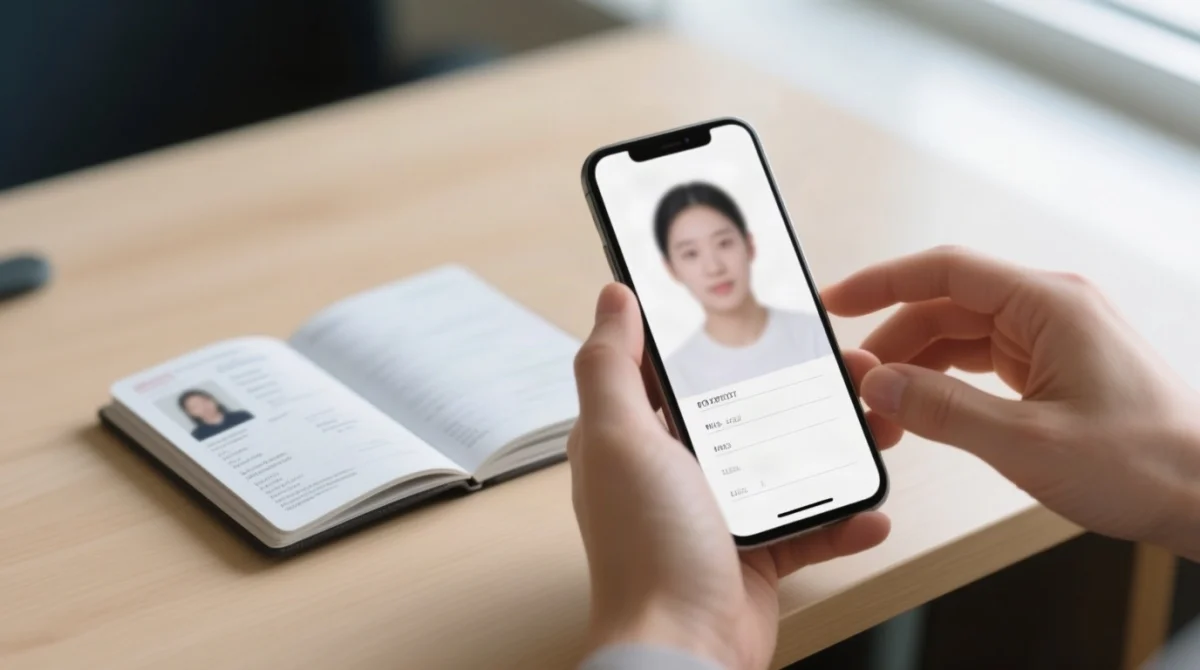
How to Compress Your Photo to Under 2 MB on iPhone & Android
Convert HEIC to PNG via the Files app before uploading (iPhone). Use iOS Remove Background (long-press subject in Photos), then paste onto a white image in Markup. Compress via Files > long-press > Get Info to check file size.
Android: export at lower resolution via Google Photos, compress at tinypng.com, or use the Background Eraser app. Check file size in Files by Google before starting the upload.
How to Get a Compliant White-Background Photo on Your Phone
The Ethiopia eVisa requires a passport photo with a full frontal view, neutral expression, no glasses, and no headwear except for religious purposes, taken within the last 6 months. Take the photo against a plain white wall in even lighting. Use iOS Remove Background (long-press subject in Photos) or Android Background Eraser / PhotoRoom (free tier) to create a white background. Save in PNG format, under 2 MB.
How to Convert a Passport Scan to PNG on Your Phone
The Ethiopia eVisa portal accepts PNG for passport copies (PDF is accepted for general attachments only). iPhone: Open Notes > tap Camera icon > Scan Documents > photograph bio-data page > export as PNG. Android: Open Google Drive > tap + > Scan > photograph bio-data page > save. Ensure the scan is clear, readable, under 2 MB, and in PNG format.
Browser Compatibility and Mobile Payment Troubleshooting
Chrome (Android) and Safari (iOS) are fully compatible with the Ethiopia eVisa portal, while Apple Pay and Google Pay are not supported for payment.
| Browser | Platform | Compatibility |
|---|---|---|
| Google Chrome | Android | ✅ Full |
| Safari | iOS | ✅ Full |
| Firefox | Android | ⚠️ Partial |
| Samsung Internet | Android | ⚠️ Partial |
Quick-Fix Checklist for Browser Issues
Disable browser auto-fill to prevent incorrect data entry: Chrome (Settings > Passwords and autofill > toggle off), Safari (Settings > Safari > AutoFill > toggle off). Use portrait mode for Steps 1-4 and 6, and switch to landscape for Step 5 review. Clear cache if the page fails to load. The Ethiopia eVisa portal has no draft-saving feature – keep your screen active to avoid session timeout.
Paying the Ethiopia eVisa Fee & Fixing Common Mobile Errors
The Ethiopia eVisa portal accepts Visa and Mastercard credit or debit cards only – Apple Pay and Google Pay are not supported, and UK applicants should notify their bank before paying to avoid fraud blocks.
How to Pay the Ethiopia eVisa Fee on Mobile
Accepted payment: Visa and Mastercard only. Fees are charged in USD (62 USD for 30-day, 152 USD for 90-day); your UK bank will convert to GBP. Notify your bank before paying – international transactions to Ethiopia may trigger a fraud block. Disable auto-correct on your keyboard before entering card numbers. Ensure the URL shows https://www.evisa.gov.et/ (padlock icon) before entering payment details. If your visa is denied, contact the Immigration And Citizenship Service at [email protected] – no refund is issued for rejected applications.
Common Mobile Errors & Quick Fixes
| Problem | Fix |
|---|---|
| Photo won’t upload | Compress to under 2 MB in PNG format |
| Payment declined | Notify UK bank; try alternative Visa/Mastercard |
| Session expired | No draft saving – restart; keep screen active |
| Form fields not responding | Disable auto-fill; switch to Chrome or Safari |
| Page not loading | Switch to Wi-Fi; clear browser cache; reload |
Frequently Asked Questions (FAQ)
For more information, visit the evisa.gov.et/faq page on the external government-operated portal.
Can I apply for an Ethiopia e-visa online?
Yes. Citizens of all countries except Syria can apply at evisa.gov.et. UK travellers can complete the form on a smartphone.
How do I get my Ethiopia e-visa on my phone?
Visit evisa.gov.et in Chrome or Safari, select your visa type, fill in personal and passport details across six steps, upload a passport photo in PNG under 2 MB, and pay by Visa or Mastercard. The approved Ethiopia eVisa is delivered to your email within 3 business days.
Can British citizens get a visa on arrival in Ethiopia?
Yes, UK passport holders can get a visa on arrival at Addis Ababa Bole International Airport. Applying online in advance is recommended to avoid queues.
How much does an Ethiopia e-visa cost in 2026?
A 30-day single-entry tourist e-visa costs 62 USD. A 90-day single-entry costs 152 USD. Fees are payable by Visa or Mastercard at evisa.gov.et. UK banks will convert the USD amount to GBP.
How long does the Ethiopia e-visa take to process?
3 business days. Apply at least 3 days before arrival; one week is recommended to buffer delays.
What photo format does the Ethiopia e-visa portal accept?
PNG files under 2 MB. JPEG and HEIC are not accepted.
Does Apple Pay or Google Pay work for the Ethiopia e-visa fee?
No. Manual entry of Visa/Mastercard only. Apple Pay and Google Pay are not supported.
What happens if I overstay my Ethiopia e-visa?
Overstaying incurs fines and legal penalties. Apply for a visa extension online before your visa expires (available if fewer than 15 days have passed since expiry). Extensions beyond 15 days require an in-person visit to the Immigration And Citizenship Service Head Office in Addis Ababa. Extension fees: 102 USD (30-day) or 302 USD (90-day).
Can I save a draft of my Ethiopia e-visa application on mobile?
No drafts. Complete the six-step form in one session. Keep screen active and note down passport number before starting.
Is the Ethiopia e-visa portal the same on mobile and desktop?
The portal uses the same form on all devices, but mobile users may encounter viewport zoom or auto-fill interference. Use Chrome or Safari, disable auto-fill, and keep your screen active.